22. Making a Bot Account (Mastodon)#
Choose Social Media Platform: Bluesky | Reddit | Discord | Mastodon | No Coding
In using this textbook, you will have opportunities to create and run social media bots. Here we will run through how to create a Mastodon account.
While we have made a fake version of Mastodon for you to test all the code in this book, we highly encourage you to make a Mastodon bot account and try it out for real!
22.1. Sign up for Mastodon#
Create a Mastodon account on a Mastodon instance (we’ll assume you are using mastodon.social).
We suggest making a new, separate Mastodon account than any you already have, just for making Mastodon bots, since you don’t want to accidentally get your main Mastodon account banned or suspended. You can label your account as an “Automated account”, which will make it clear to other users that this is a bot, and also hopefully reduce your chances of being suspended for acting like a bot. Also we suggest using a different password than you use for other accounts, since you might accidentally share it with your code.
Note: If you want to make a new account and you already have one, you may need to sign out from your current account, or use a different web browser (e.g., Mozilla, Google Chrome, Microsoft Edge, Safari).
22.2. Get Your Bot Keys#
To get your bot keys find the application settings (In the “Preferences” menu, under “Development”).
Create a “New Application” and name it whatever you want (e.g., “test-bot”), leave the “Application website” blank and “Redirect URI” as the default value.
Then for permission “scopes”, select the general “top-level scopes” for
read
profile
write
follow
push
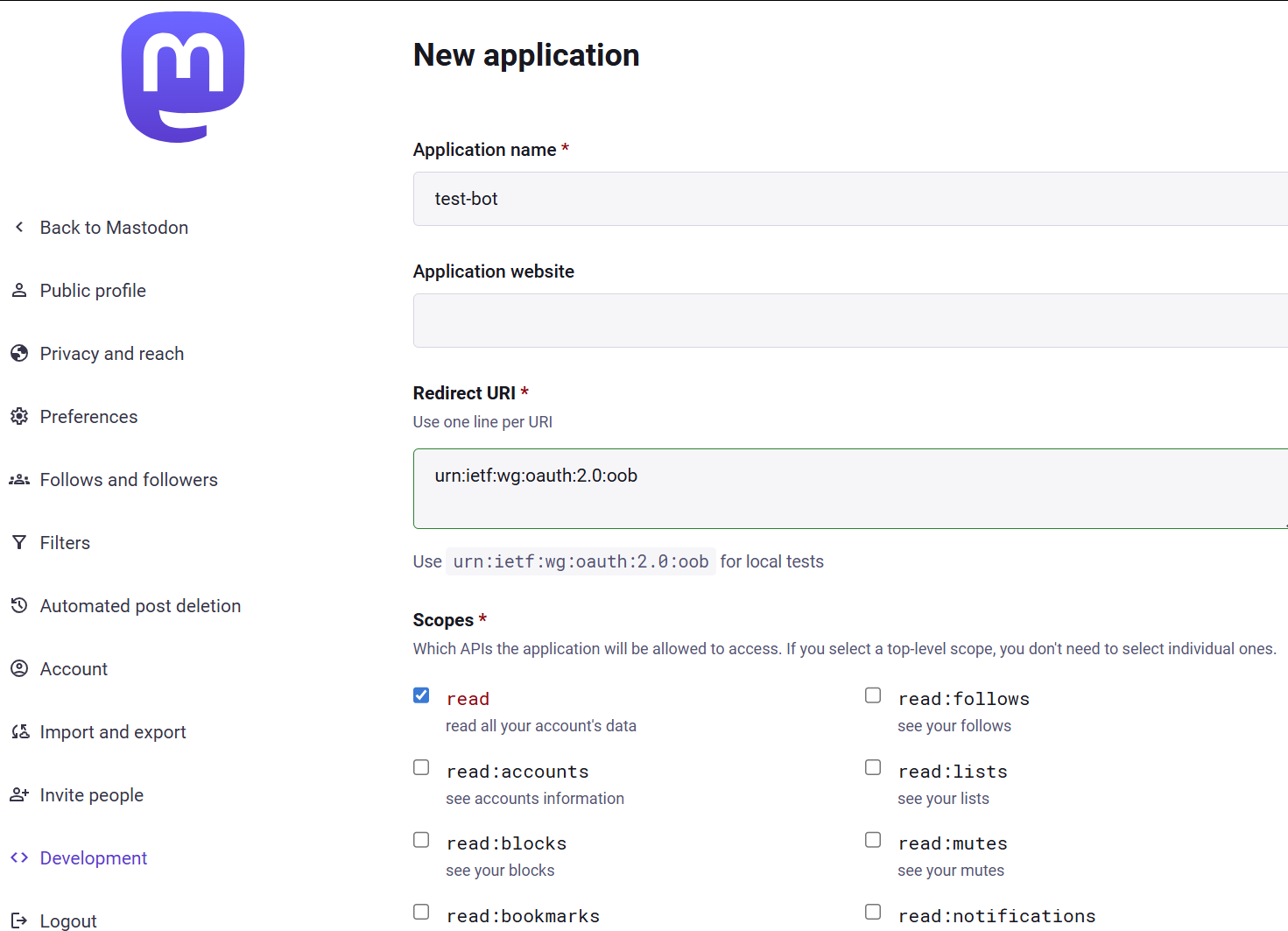
Fig. 22.1 Create a Mastodon Application#
Save your changes and open the application page again.
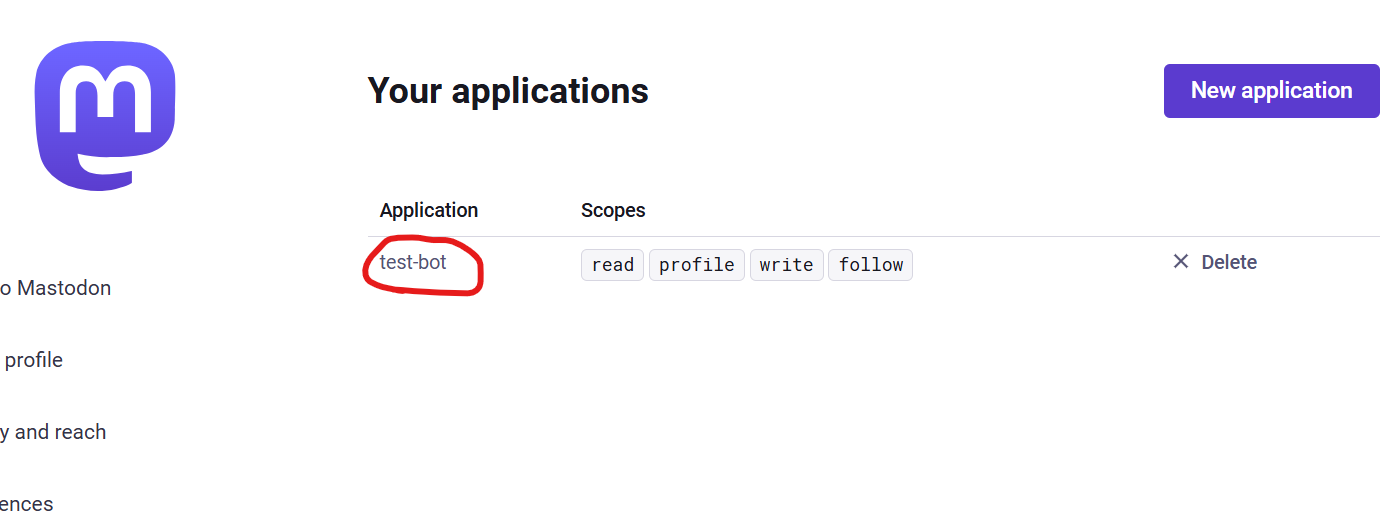
Fig. 22.2 Select your Mastodon Application#
Then copy your “access token” value and save it to use for running your bot.
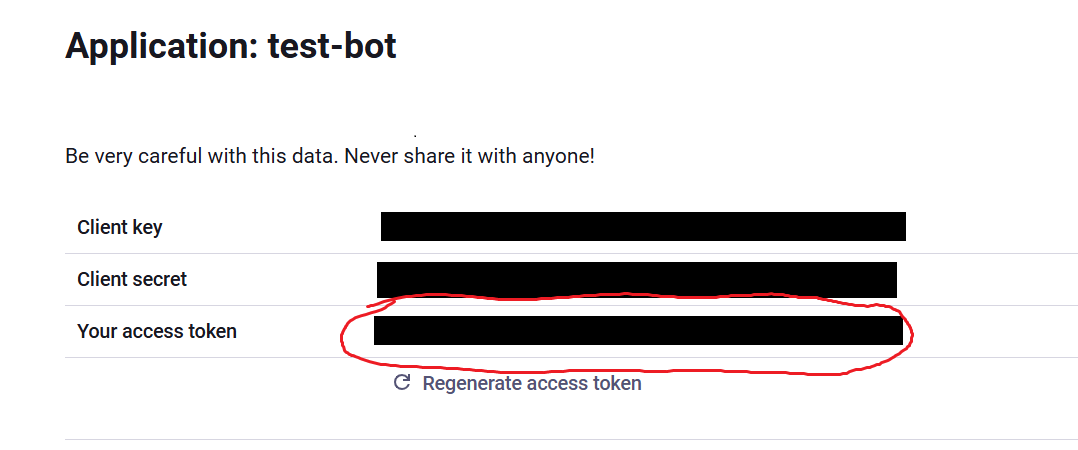
Fig. 22.3 Copy your Mastodon Application “access token”#
22.3. Test your keys#
Now that you have your Mastodon “access token,” you can test out your code in chapter 2.3.8 (Demo: Try Running the Mastodon Bot!). Try running the code and replacing the fake handle and password with the ones from your account, and see if you can use the code to make an actual Mastodon post to your account.
22.4. Understand Mastodon Rules for Bots#
Before you try doing anything too creative with Mastodon bots, make sure you look over the mastodon.social server rules that way you don’t get yourself banned.